August 15, 2026
Your S3 bucket is public and you probably don't know it
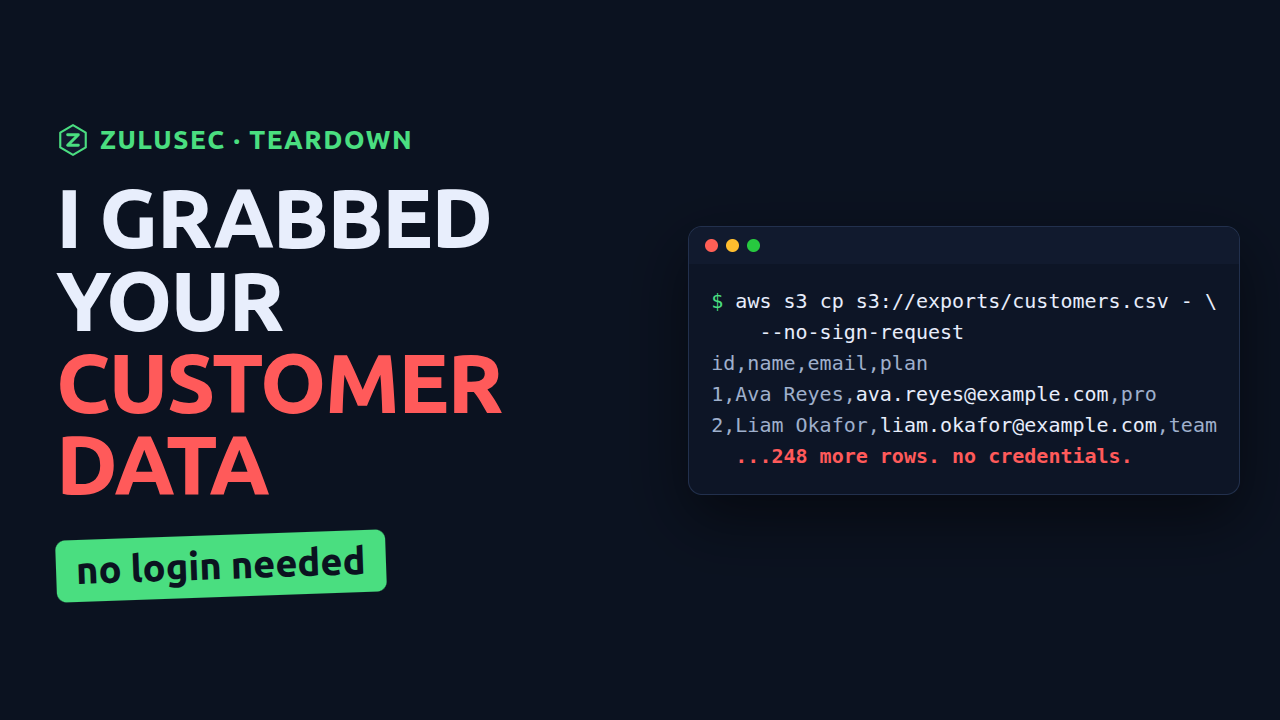
A public S3 bucket does not announce itself. There is no alarm, no email, no red banner in the console the next morning. The data just sits there, readable by anyone in the world who knows or guesses the bucket name. And bucket names are not secret. They show up in URLs, in frontend code, in DNS, in old Stack Overflow posts.
Here is how someone downloads a "customer database" from a public bucket with no account and no credentials, how to check your own account in one command, and the single setting that shuts the whole problem down. Everything below runs in a sandbox account, with synthetic data.
How a bucket goes public in the first place
S3 buckets are private by default, which is the good news. Making one public takes a deliberate wrong turn, usually one of two:
- Block Public Access is turned off. This is the safety net. Someone disables it to make a file "just work," and the net is gone.
- A bucket policy or ACL grants read to everyone. A statement with
"Principal": "*"and"Action": "s3:GetObject"means the entire internet can read every object.
It only takes both of those being wrong at once, and both get set by well-meaning people trying to unblock themselves.
Downloading it as a complete stranger
The AWS CLI has a flag that says "send no identity at all": --no-sign-request. If the bucket is public, that is all an attacker needs.
aws s3 ls s3://your-bucket --no-sign-request
aws s3 cp s3://your-bucket/customers.csv - --no-sign-request | head
You do not need the AWS tooling at all. It is an ordinary HTTP GET with no credentials attached:
curl -s "https://your-bucket.s3.amazonaws.com/customers.csv" | head
No login. No key. No account. If the object comes back, your data is world-readable, and you have no way of knowing who already took a copy.
Finding every public bucket you own
One public bucket is rarely the only one. You can sweep an entire account by reading two things per bucket: whether Block Public Access covers it, and whether the bucket policy is public.
Block Public Access is where these scripts go wrong, and an earlier version of this one went wrong in both available directions. It is set at two levels, the bucket and the account, and a setting is on if either level turns it on. Account-wide Block Public Access with nothing set per bucket is the posture you actually want, so a script that reads only the bucket level reports every bucket in a well-configured account as exposed. Then the other direction: a bucket carrying no configuration at all does not return four false values, it returns an error. Swallow that error and treat it as an empty answer, and the one bucket in the account with nothing protecting it is the one that comes back quiet.
So it needs to read the account level once, union it with each bucket, and keep "no configuration" and "could not read it" apart. That is bash and jq:
# Block Public Access as JSON. "No configuration exists" is an answer: nothing
# is enabled at that level. Any other failure is not an answer, and nothing
# below it may treat one as the other.
bpa() {
  local out
  if out=$("$@" --query PublicAccessBlockConfiguration --output json 2>&1); then
    printf '%s' "$out"
  elif [[ $out == *NoSuchPublicAccessBlockConfiguration* ]]; then
    printf '{}'
  else
    return 1
  fi
}

sweep() {
  account_id=$(aws sts get-caller-identity --query Account --output text)
  account=$(bpa aws s3control get-public-access-block --account-id "$account_id") || {
    echo "Account-level Block Public Access is unreadable. Stopping rather than guessing."
    return 1
  }

  for b in $(aws s3api list-buckets --query 'Buckets[].Name' --output text); do
    bucket=$(bpa aws s3api get-public-access-block --bucket "$b") || {
      echo "UNKNOWN  $b  Block Public Access could not be read"
      continue
    }

    # A setting counts as on if the bucket turns it on or the account does.
    off=$(jq -rn --argjson account "$account" --argjson bucket "$bucket" '
      ["BlockPublicAcls","IgnorePublicAcls","BlockPublicPolicy","RestrictPublicBuckets"]
      | map(select((($account[.] // false) or ($bucket[.] // false)) | not))
      | join(" ")')
    [ -n "$off" ] && echo "OPEN     $b  not blocked: $off"

    [ "$(aws s3api get-bucket-policy-status --bucket "$b" \
           --query PolicyStatus.IsPublic --output text 2>/dev/null)" = "True" ] \
      && echo "PUBLIC   $b  bucket policy grants access to everyone"
  done
}

sweep
Run that against your own account right now. OPEN means nothing is stopping a public policy or a public ACL from taking effect on that bucket. PUBLIC means one already has. UNKNOWN means the bucket refused to answer, which is a gap in the sweep and not a clean result.
And know what it still cannot see. It reads the two controls that let a stranger in, not object ACLs, not access point policies, not a policy that is public to one named outside account rather than to the world. A bucket whose policy status it cannot read comes back quiet. It is a sweep, not an audit, and the difference is exactly the list in this paragraph. The version that does this carefully, with every one of those distinctions given its own answer, is in the public ZuluSec scanner: posture-reference.
The fix, worst first
1. Turn on account-level Block Public Access
This is the big hammer, and it is the one that actually holds. It is an account-wide override: even if someone writes a public bucket policy tomorrow, this blocks it.
ACCT=$(aws sts get-caller-identity --query Account --output text)
aws s3control put-public-access-block --account-id "$ACCT" \
  --public-access-block-configuration \
  BlockPublicAcls=true,IgnorePublicAcls=true,BlockPublicPolicy=true,RestrictPublicBuckets=true
Turn it on unless you have a specific, reviewed reason a bucket must be public.
2. Remove the public policy, and serve public files properly
Delete the wildcard statement from the bucket policy. If a bucket genuinely needs to serve public files, do not make the bucket public. Put CloudFront in front of it and keep the bucket itself private.
3. Turn on logging, and assume it already leaked
If a bucket held sensitive data while it was public, you have to assume it was copied. Enable server access logging or CloudTrail data events so that next time you would actually know, and treat anything that was exposed as compromised.
The uncomfortable part
Most teams that run on AWS have at least one bucket they would not want to see on the open internet, and they do not know which one. Finding exposed data, and working out who could reach it and whether you would ever notice, is one of the first things a ZuluSec audit does. If you would rather have it found for you, you see the whole scope before you commit: book a security audit.
Want these found for you?
An audit turns up leaked keys, public data, and the paths between them, with a prioritized report you can act on immediately and the scope agreed before it starts.
See how the audit works