August 14, 2026
Your deleted AWS key is still in your git history
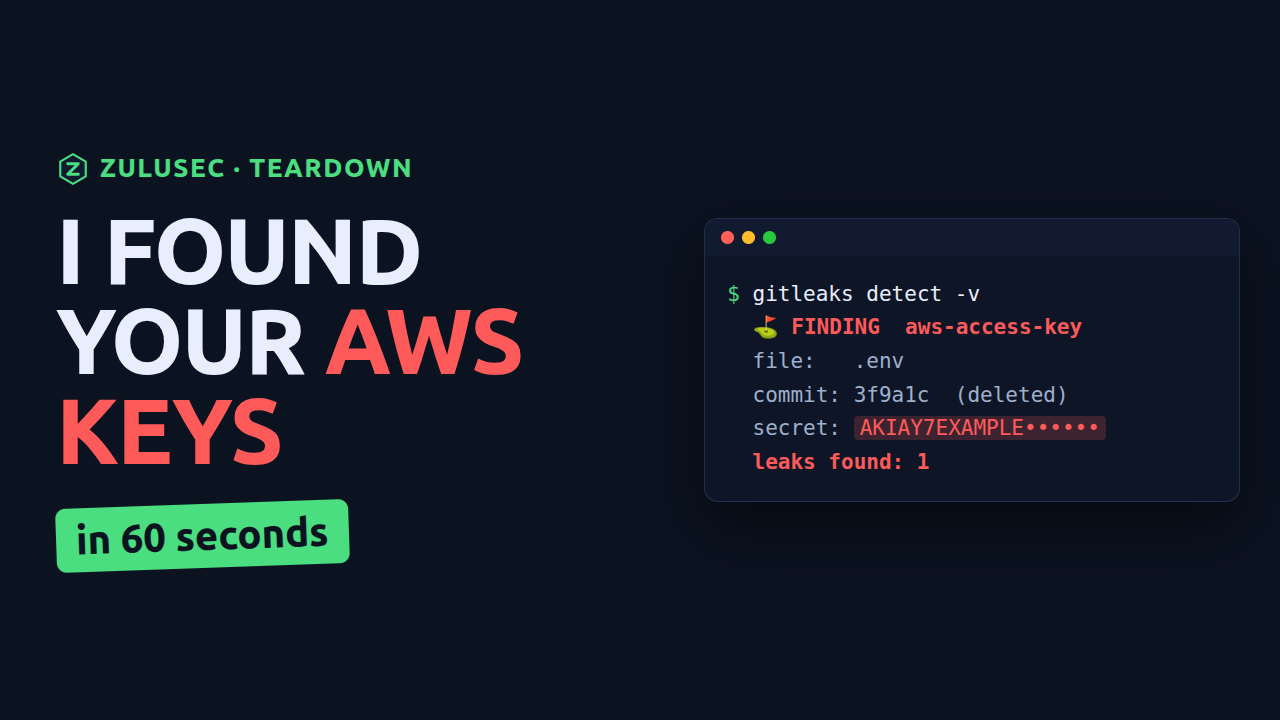
A developer drops an AWS key into a .env file to test something locally and commits it by accident. A teammate catches it in review, they delete the file, add a .gitignore, and everyone moves on. Problem solved.
It is not. That key is still there. Git keeps every version of every file you have ever committed, and deleting a file in a new commit does nothing to the old ones. The credential is sitting in your history, and if that repo is ever made public, cloned to a laptop that gets compromised, or leaked through a CI log, it is one command away from anyone who wants it.
Here is exactly how attackers find these, what a single key can reach, and the three changes that stop it for good.
Why secrets end up in git and never leave
Secrets land in repositories for boring, human reasons: a quick local test, a config file that was supposed to stay private, a copy-paste from a runbook. The mistake is easy to make and easy to "fix" in a way that fixes nothing. Deleting the file and adding a .gitignore cleans up the current state of the repo, but git is a history of changes, not a snapshot. Every earlier commit still contains the file, byte for byte.
Finding a leaked key in seconds
Attackers do not read your code by hand. They scan. Two tools do almost all of the work.
gitleaks walks every commit looking for credential patterns and high-entropy strings:
gitleaks git -v your-repo
It will report the finding along with the exact commit, even when the secret is no longer in the current code. That is the important part: it found the key in history, in the commit before someone deleted it.
trufflehog goes one step further and will actually try the key to see if it is still live:
trufflehog git file://your-repo --results=verified,unknown
A result marked verified means the key works right now.
And here is the part people miss. Deleting the file changed nothing:
git log --oneline
git show <the commit that added the .env>
The key is right there in the old commit, in plain text.
What one leaked key actually reaches
A key on its own is just a string. The real question is what it can do. Loaded into the AWS CLI, it answers that immediately:
aws sts get-caller-identity
aws s3 ls
aws iam list-users
get-caller-identity confirms the key is valid and tells you which account and identity it belongs to. From there, the blast radius is entirely a function of that key's permissions. An over-scoped key, and there are many of them in the world, can read every bucket, list every user, and start hunting for a path to admin.
So the first thing you do when you find a live key is kill it. Deactivate it in the IAM console before you do anything else. Rotate first, investigate second.
The three fixes, worst first
1. Stop secrets at the door
Add a pre-commit hook so a secret blocks the commit before it is ever recorded:
# .pre-commit-config.yaml
repos:
  - repo: https://github.com/gitleaks/gitleaks
    rev: v8.30.1
    hooks:
      - id: gitleaks
pre-commit install
Now nobody commits a credential without stepping over a loud, red error.
2. Rotate, then scrub history
Rotation first, as above. History rewriting is slow and disruptive and it does not retire a credential, so doing it first only delays the one step that helps. Once the key is dead, clean the history so the next person to clone the repo does not find it:
git clone --mirror git@github.com:you/your-repo.git
cd your-repo.git
git filter-repo --path .env --invert-paths
git remote add origin git@github.com:you/your-repo.git
git push --force --mirror
The fresh mirror clone is not ceremony. git filter-repo refuses to run in a repository you have been working in, and it drops the origin remote after it rewrites, both of which are it stopping you from destroying history that exists nowhere else. BFG Repo-Cleaner does the same job if you prefer it. Every commit hash after the one you touched changes, so everyone with a working copy has to reclone.
Now the part that makes rotation non-negotiable. That force push does not reach everything. On GitHub the old commit stays fetchable by its SHA in cached views, it stays in every fork, and it stays in any pull request that referenced it. GitHub's own guidance is to open a support request to have those cached views and references removed, and the condition attached to it is worth reading carefully, because it is the opposite of what people assume. Support will not remove the data in cases where the risk can be mitigated by rotating the credential. Rotation is not the step that unlocks the cleanup. It is the reason the cleanup gets declined, because rotating is the fix and GitHub treats it as such. There is no sequence of git commands that unpublishes a secret. The rewrite is housekeeping; the rotation is the fix.
3. Stop using long-lived keys at all
The real fix is that this key should never have existed. Humans should log in through short-lived sessions with AWS IAM Identity Center. Pipelines should assume a role using OIDC instead of holding a static key. A credential that expires in an hour is worth far less to an attacker than one that works forever.
Check your own repos right now
Before you close this tab, run one command against a repo you own:
gitleaks git -v .
Then turn on secret scanning and push protection in GitHub, where push protection blocks a secret before it ever lands. Check what that costs you before you promise it to anyone: both are free on public repositories, and on private ones they are part of GitHub Secret Protection, which is paid and billed per active committer. The repository in this article is private, which is the case where it is not free.
The uncomfortable part
Most teams have at least one of these and do not know it. Finding leaked keys, and mapping what each one could actually reach, is one of the first things a ZuluSec audit does. If you would rather have them found for you, you see the whole scope before you commit: book a security audit.
Want these found for you?
An audit turns up leaked keys, public data, and the paths between them, with a prioritized report you can act on immediately and the scope agreed before it starts.
See how the audit works